
The Burton Pools design studio

Make room
for your ideas.

Choose a direction. Collect the details you like. Create a personal Pool Folio to bring your ideas together.

Four flexible steps. No contact details needed. This tool does not send a request.

Preparing your planning studio…

You can also start a conversation directly

01 / A useful starting point

What are you
planning?

Choose the conversation you want to have. You can change any choice later.

Your project
Have a pool approach in mind?

02 / The way you live

What matters
most to you?

Choose as many or as few as you like. These are topics to explore with the team.

Picture an ordinary day
Details worth discussing

Features depend on the selected pool approach, product compatibility, property, and agreed scope.

03 / A visual starting point

What catches
your eye?

Choose an optional photograph from our shared Burton and Aquarius gallery. A photograph can inspire details across different pool approaches.

Your chosen pool approach stays as you selected it. Each property needs its own design and scope.

04 / Your ideas, brought together

Your pool.
Your own point of view.

A personal folio of the ideas you want to explore. Review your choices, keep a copy, or share this starting point with someone planning alongside you.

Your Pool Folio

Planning preferences

A place for your ideas

A place of your own.

A starting point for a conversation about your property and priorities.
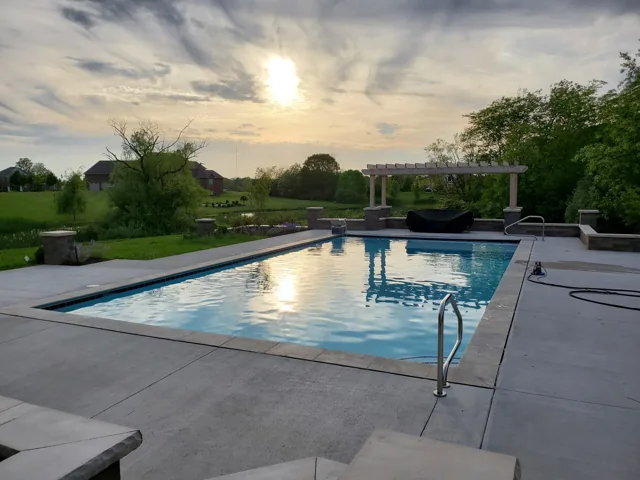
The picture is still open.

You haven’t chosen a photograph. Your priorities are a useful place to begin.

Your direction

Every choice can change.

Bring a little curiosity

Useful questions for
your first conversation.

    These are planning preferences, not a design, price, or request submission. Your property, selected pool approach, and agreed scope will shape what is possible.

    Burton Poolsburton-pools.com · (765) 447-7982

    Keep the conversation going

    A folio to come back to.

    Print a copy, use your browser’s PDF option, or copy a link that opens these same planning choices.

    Your selected planning choices and photograph appear in this link. Sharing it does not send a request to our team.

    Copy or save your planning notes

    The notes do not submit a request. Copy them into the Aquarius request form’s project details before sending.

    Continue to consultationEdit in the planning brief

    Your choices follow you to the consultation page. The selected request form opens on Aquarius and reaches our shared sales team.

    Step 1 of 4

    Explore at your own paceCosts & scopeProperty planningThe construction process

    Prefer a conversation? Call (765) 447-7982